
Aircraft Horizon2.2 - Google Play
You'll be able to see results in few seconds.
Publisher Description
NOTICE: This app is heavily dependent on your devices available hardware sensors, version of the Android operating system and last but not least, your device vendors software. For this reason, the app can behave with different results on different devices.
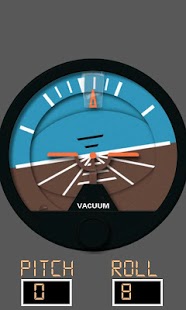
Aircraft horizon is the most advanced artificial horizon on the marketplace.
It fuses data from your devices accelerometer, gyro and magnetometer sensors to provide you with accurate pitch and roll information depicted as a typical aircraft artificial horizon.
Features:
- Sensor fused, accurate pitch and roll via internal accelerometer, gyro and magnetometer sensors
- Linear acceleration compensated - it is accurate whilst moving (with appropriate sensors)
- Automatically selects the best available sensors to use from those available on your device
- Filtered, smoothed and reactive display - no jitter or jumping!
- 'Pitch level' levels the horizon to your installation
- Supports multiple screen resolutions
- Supports display in both portrait and landscape orientations
Usage:
Aircraft Horizon is very simple to use. Pitch and roll is dynamically shown when you move your device. Using the menu, you can pitch level based upon your installation, switch between portrait and landscape modes and toggle debug data on and off.
If you like this app, please try my other aircraft/flying related apps!
I'm a professional software engineer, part-time android developer and passionate private pilot so would love to hear your thoughts, feature requests and bug reports.
Don't forget to rate it!
About Aircraft Horizon
The company that develops Aircraft Horizon is Sensorworks. The latest version released by its developer is 2.2.
To install Aircraft Horizon on your Android device, just click the green Continue To App button above to start the installation process. The app is listed on our website since 2013-01-26 and was downloaded 0 times. We have already checked if the download link is safe, however for your own protection we recommend that you scan the downloaded app with your antivirus. Your antivirus may detect the Aircraft Horizon as malware as malware if the download link to com.sensorworks.aircrafthorizon is broken.
How to install Aircraft Horizon on your Android device:
- Click on the Continue To App button on our website. This will redirect you to Google Play.
- Once the Aircraft Horizon is shown in the Google Play listing of your Android device, you can start its download and installation. Tap on the Install button located below the search bar and to the right of the app icon.
- A pop-up window with the permissions required by Aircraft Horizon will be shown. Click on Accept to continue the process.
- Aircraft Horizon will be downloaded onto your device, displaying a progress. Once the download completes, the installation will start and you'll get a notification after the installation is finished.
Program Details
System requirements
Download information
Pricing
Version History
version 2.2
posted on 2013-01-26
v2.2 (05/03/2012),- Fix for small screens,- Instrument is now scaled larger on larger screens,- Added digital text readouts,v2.1 (12/02/2012),- (Hopefully!) Fixed screen resolution bug on certain devices,- Added portrait/landscape orientation switch option,v2.0 (05/02/2012),- App now fuses data from all available sensors rather than just using raw data,- Reworked display engine now much better graphics and screen refresh rate,- Added pitch level feature,- Added 'debug'
version 2.2
posted on 2013-01-26
Several fixes and updates
Disclaimer
Official Google Play Link
We do not host Aircraft Horizon on our servers. We did not scan it for viruses, adware, spyware or other type of malware. This app is hosted by Google and passed their terms and conditions to be listed there. We recommend caution when installing it.
The Google Play link for Aircraft Horizon is provided to you by apps112.com without any warranties, representations or guarantees of any kind, so access it at your own risk.
If you have questions regarding this particular app contact the publisher directly. For questions about the functionalities of apps112.com contact us.
